Why Enterprises Choose Flutter
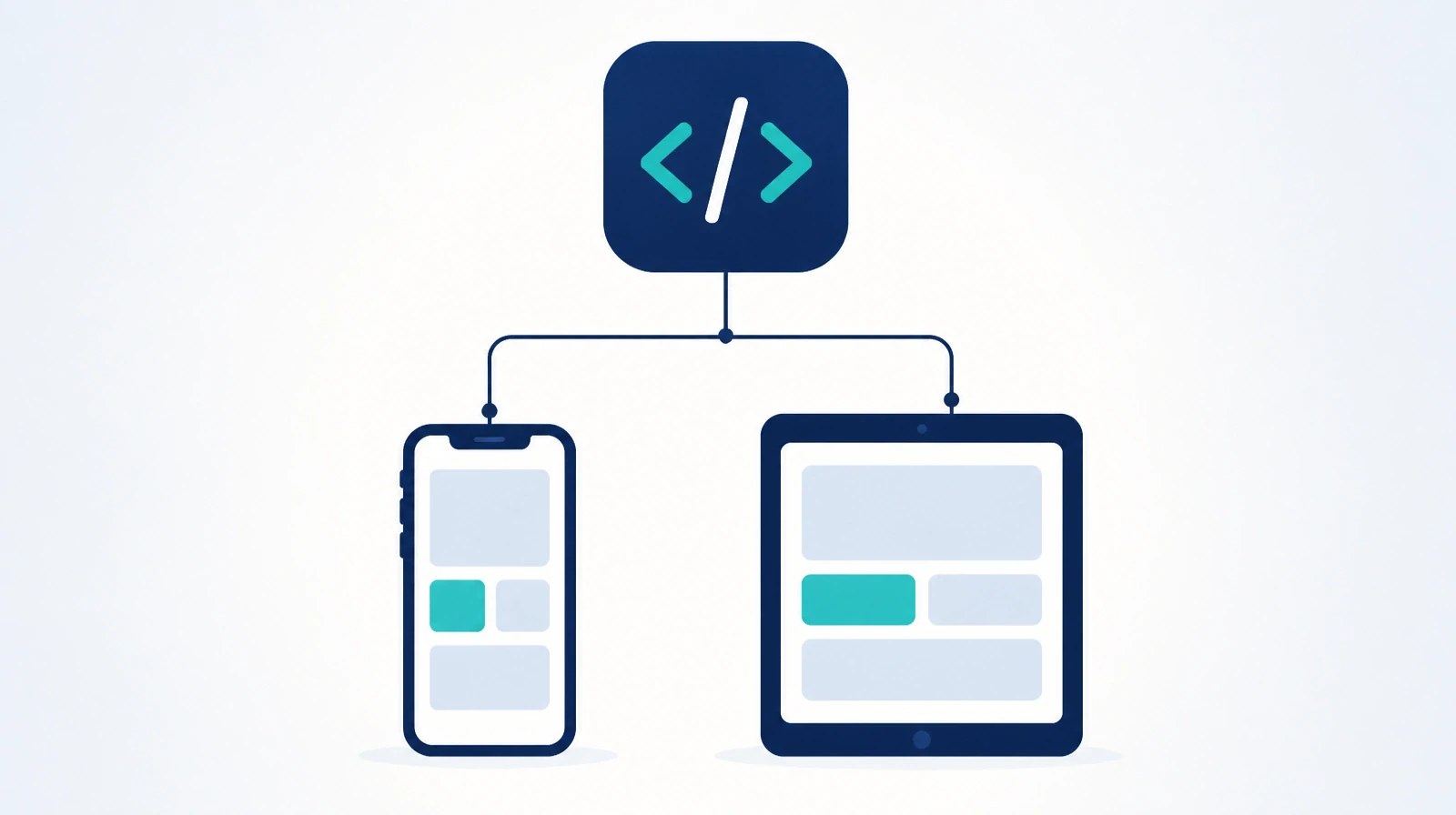
When an organization plans a mobile app, the first technical question is simple: who needs to use it? iPhone users, Android users, or both? In most enterprises, the answer is "both". In practice, that usually means building two apps, with two teams or at least two separate codebases. Flutter changes that equation. It is Google's framework for building one mobile app that runs on iOS and Android from a single codebase.
Before Flutter, mobile development usually meant duplication
The standard approach to mobile development has long required two codebases: Swift for iOS and Kotlin for Android. Every feature is built twice, every bug is fixed twice, and every update is released twice. Teams either grow or move more slowly. In many organizations, both happen at once: two small teams work in parallel, one platform falls behind the other, and users end up with different app versions depending on the device in their hands.
A common lower-cost option was the hybrid web app, which means loading a website inside an app wrapper. It reduced initial cost, but the user experience often felt slow and out of place on both platforms. Users noticed the gap between what a mobile app should feel like and what they actually got, and many businesses learned that people would move quickly to a competitor with a faster native app.
Flutter introduced a different model. One codebase can produce apps for both platforms with performance close to native because the interface is drawn directly instead of running inside a browser view. In practical terms, a feature written once can appear on both iPhone and Android with the responsiveness most business apps need.
Why Flutter fits enterprise apps
In consumer apps, two fully native builds can make sense when maximum device performance is part of the product itself. Enterprise apps usually have a different job. They help employees or business partners complete defined tasks such as approving a request, logging a field visit, checking a metric, or filing a report. In that setting, synchronized releases and controlled cost usually matter more than extracting every last bit of hardware performance. If an iPhone user waits weeks for a feature already available on Android, the issue affects operations before it affects engineering, and users start to doubt the system.
The first reason Flutter works well here is the single codebase. A feature is built once and released to iOS and Android together, which removes the familiar gap between platforms. The second is interface consistency. The screens look and behave the same way on both systems, which makes training easier and reduces support effort. When the support team takes a call, they are less likely to begin with "which device are you using?" because the user journey is already aligned.
Development speed also improves through hot reload, a feature that shows code changes immediately without a full rebuild. That shortens the cycle between writing, testing, and correcting. On its own, that may sound minor. Across weeks of work, it changes delivery time in a visible way. Flutter also integrates with existing business logic. It can connect to APIs, or application programming interfaces, which are the methods systems use to exchange data automatically, and it can work with current backend systems instead of forcing a rebuild of services that already exist.
When Flutter is not the right choice
There are cases where Flutter is not the best fit. Apps that need deep access to highly specific operating-system features, or that depend on top-end graphical performance such as 3D games, may be better built natively for each platform. The same can apply to apps that rely very heavily on the camera or device sensors and need fine control over that behavior.
Most enterprise requirements sit outside that range. A field-service app, a partner portal, or an internal ordering app usually needs a sound balance between quality, cost, and release speed. Many projects initially described as needing maximum native performance turn out, after requirements review, to need fast response and frequent releases more than 60-frames-per-second graphics.
Does it work on every employee's device?
For internal apps, that question is central. In most workplaces, employees use a mix of iPhone and Android devices. Excluding either group means either limiting access for part of the organization or building two apps. Sometimes that exclusion is accidental. A team starts with iOS because senior staff mostly use iPhones, Android slips to a later phase, and departments end up working with uneven service levels.
Development speed also affects budget. Enterprise projects often run late because teams repeat the same work across two platforms, not because the requirements are unusually difficult. Cutting that repetition in half reduces cost and shortens the path to the first release. Each month gained before a competitor is also a month of real use, and real use exposes issues and priorities that no planning document can fully predict.
How to make the decision
The right way to assess Flutter is to start with the requirements. How much of the app depends on device-specific features? Is maximum performance a hard requirement? How large is the available team? Those answers usually make the direction clear. For internal-service apps and business-partner apps, Flutter is often the practical choice.
Renewable Systems offers a Flutter mobile app development service for organizations looking for that balance. And because choosing the core technology is only one part of a broader software decision, building custom enterprise web apps helps clarify when a web app is the better fit.
Flutter is not the right answer for every app. For a large share of enterprise needs, it is the option that shortens the distance between decision and delivery while keeping quality in place.